
Colorado Convention Center | Feb 13, 2025
Join our hands-on workshop and gain insight into TOPOFLIGHT’s MISSIONPLANNER, our advanced flight planning software for aerial survey missions. In this session, we will guide you through the software’s intuitive interface, demonstrate flight planning workflows and ensure all project requirements are met. Bring your own device, test the software yourself and experience how MISSIONPLANNER simplifies aerial survey planning.
Instructors:

Oliver Hasler
CTO
Software Engineer

Pascal Stucki
Software Engineer
Agenda
In this workshop, we will introduce you to TOPOFLIGHT and our MISSIONPLANNER software. Step by step, we will create a flight plan for an aerial survey mission and ensure that all project requirements are met.
On our agenda:
- Introduction
- TOPOFLIGHT’s software suite
- Installing MISSIONPLANNER and activating the trial license
- Creating a project with MISSIONPLANNER
- Questions
- Outlook
Example Project Requirements
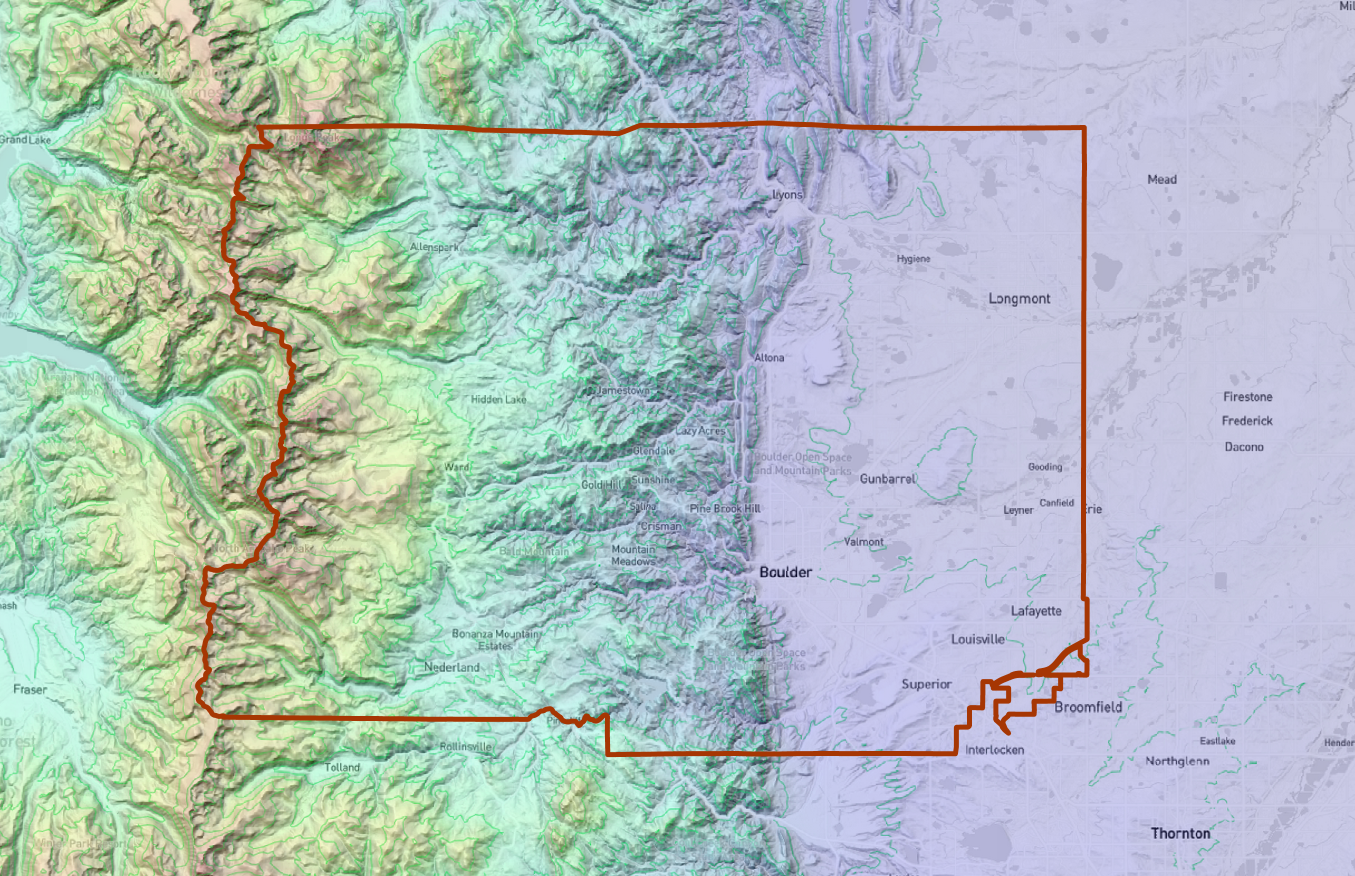
To demonstrate MISSIONPLANNER while maintaining a connection to real-world problems, we use a fictional project near Denver, CO.
Project requirements:
Sensor
- Riegl VQ-1560II-S
- PhaseOne iXU-RS 1000 – 50mm
Point density
- average 15-20 pts/m2
- minimal 5 pts/m2
- beam footprint < 0.4 m
Imagery
- GSD average 20 cm
- forward overlap 75 %
Resources
To follow along in the workshop and try out our MISSIONPLANNER on your own device, download the necessary files listed below. These include the software installer, sample project files and additional resources that help you get started.

MISSIONPLANNER installer
Download the latest version of TOPOFLIGHT MISSIONPLANNER and get started with your flight planning.
10-day trial license
Activate your 10-day trial license to explore all features of TOPOFLIGHT MISSIONPLANNER.
Unlock key: PQ\RT[RR@VSMRQOURQT
RiParameter Export
Download the sensor configuration INI file for Riegl VQ-1560III-S to ensure an optimal setup for your aerial survey missions.
Area of Interest
Download the KML geofile to load the area of interest (AOI) directly into MISSIONPLANNER. The KML contains the boundary of Boulder County. Source: https://opendata-bouldercounty.hub.arcgis.com/
Empty Project
Start quickly with a pre-configured project that includes the sensor setup, elevation data, the basemap and area of interest (AOI) for seamless flight planning.
Final Project
Download the final project, complete with flight lines and quality control checks, to review the full mission setup and get going at once.
Links
For additional guidance and deeper insight into MISSIONPLANNER, we compiled a list of useful documentation links. These resources cover key features, workflows and best practices to help you get the most out of the software.
Sentinel trial license activation
Upload the trial license on the Thales Sentinel AAC. This link points to your Sentinel runtime on localhost:1947.
Documentation of MISSIONPLANNER
Follow this link to get to the index of our interactive MISSIONPLANNER online documentation.
Documentation on how to activate the trial license
Here you will find a step-by-step instruction to activate the trial license with Thales Sentinel ACC.
Let’s stay in contact
LinkedIn
Follow us on LinkedIn to stay updated on the latest features, industry insights and best practices for aerial survey planning with TOPOFLIGHT.
Reach out to us
Have questions, feedback or feature requests? Feel free to reach out to us directly or through your RIEGL contact. Our goal is to make your flight planning as smooth and efficient as possible.