
MISSIONPLANNER and NAVIGATOR 2026 release now available:
Discover the latest features
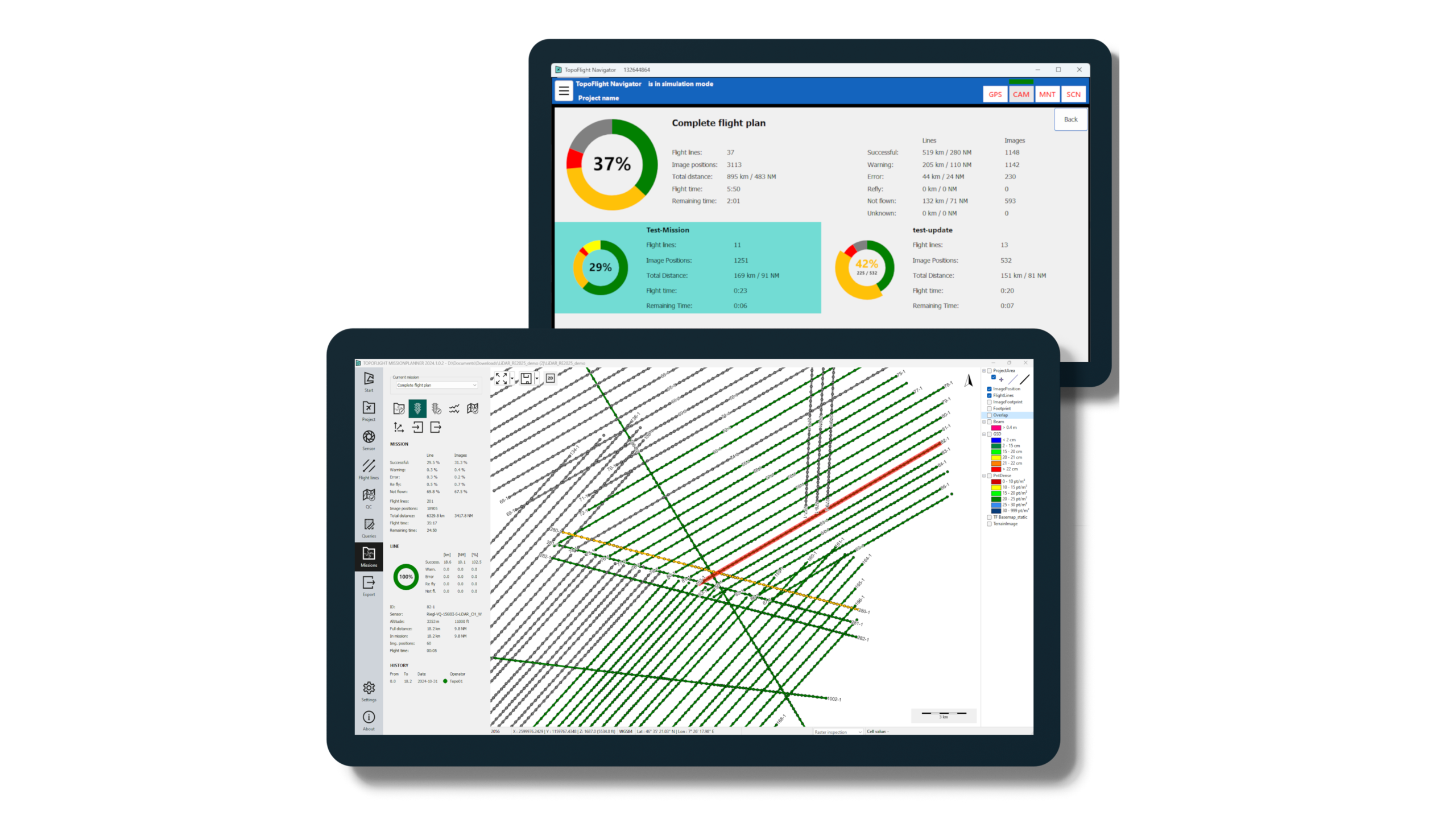
We are pleased to announce the 2026 major release of TOPOFLIGHT’s MISSIONPLANNER and NAVIGATOR software! Our powerful new tools enhance your mission planning, execution and postflight analysis of aerial survey operations.
Mission management capabilities
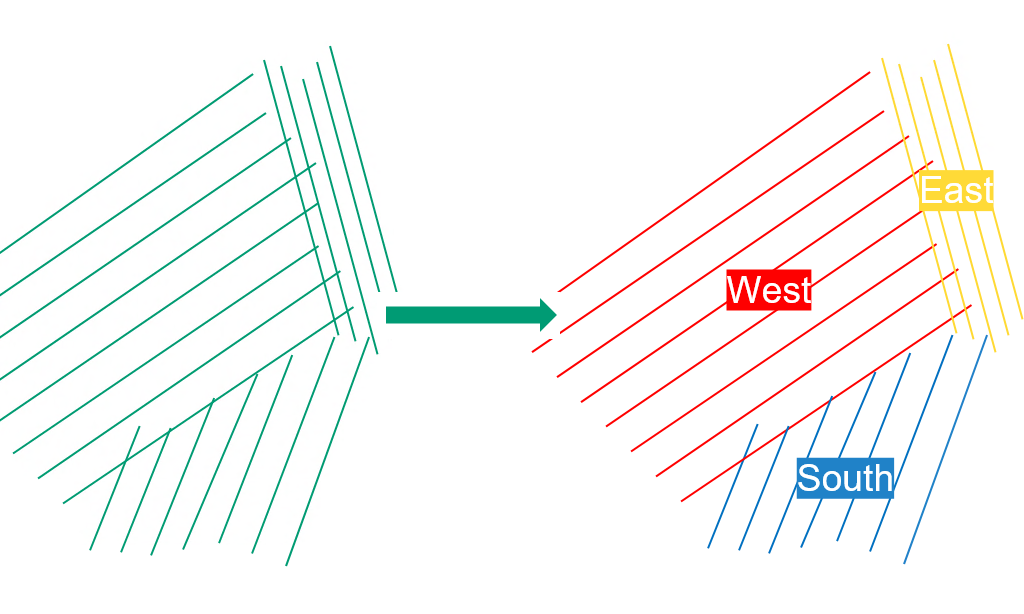
The new Mission management feature allows you to divide complex projects into individual missions, each with its own set of complete or partial flight lines. Missions can be defined based on factors such as available flight hours, weather conditions or foliage and snow coverage.
Flight crews can transmit collected data after each flight, enabling project managers to efficiently adjust or create missions as needed. Each mission can be planned, edited, transmitted and evaluated independently.
Seamless data exchange between MISSIONPLANNER and NAVIGATOR
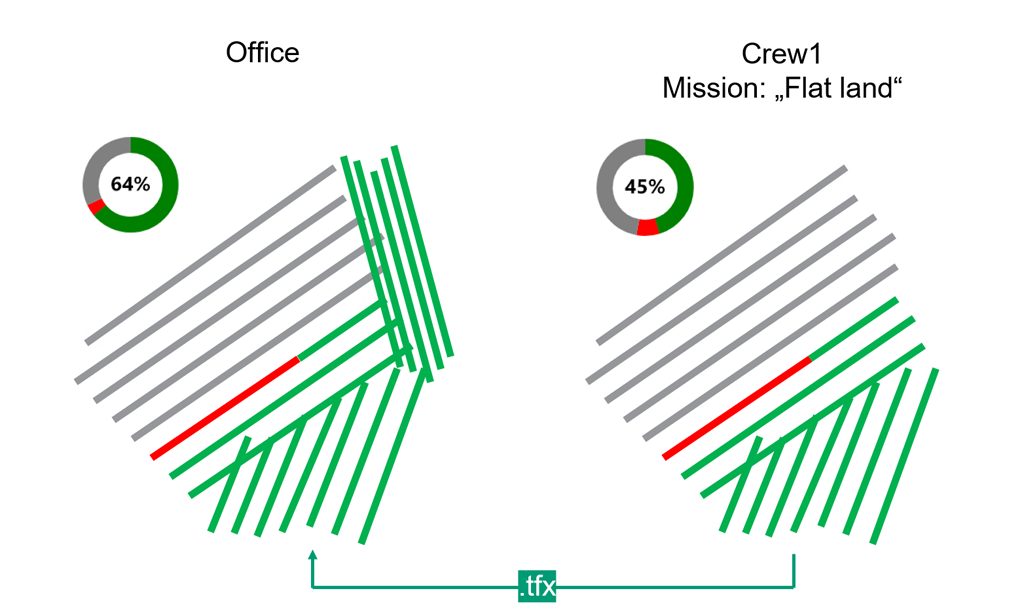
To ensure smooth synchronization between MISSIONPLANNER and NAVIGATOR, the 2026 release introduces the .TFX data format. Every modification generates a new entry within the .TFX file, so that the complete version history is preserved, including capture dates, operators and any changes in flight status.
Simply synchronize the .TFX file of your project in MISSIONPLANNER or NAVIGATOR for easy, reliable and transparent data exchange between office-based planning and flight operations.
Postflight quality control tools
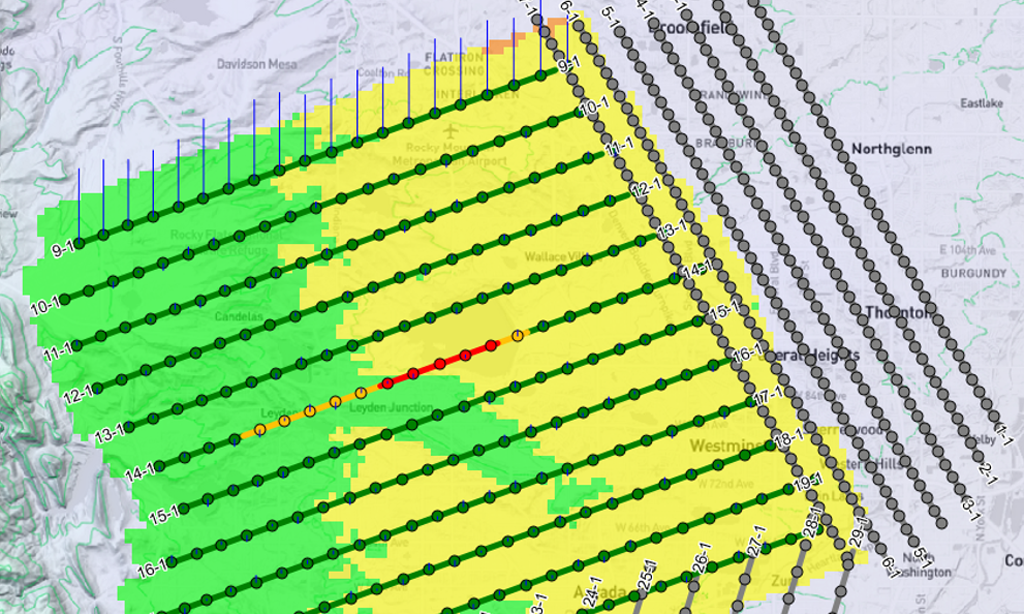
With our new Postflight quality control, users can generate detailed maps to assess how accurately flown flight lines meet project requirements. The analysis is based on GNSS and IMU data, combined with trajectory analysis.
The generated quality control maps help identify flight lines that may require reflight. Flight line statuses can then be quickly updated for the flight operation team, supporting smoother project execution and higher data quality.
Interactive project selection screen
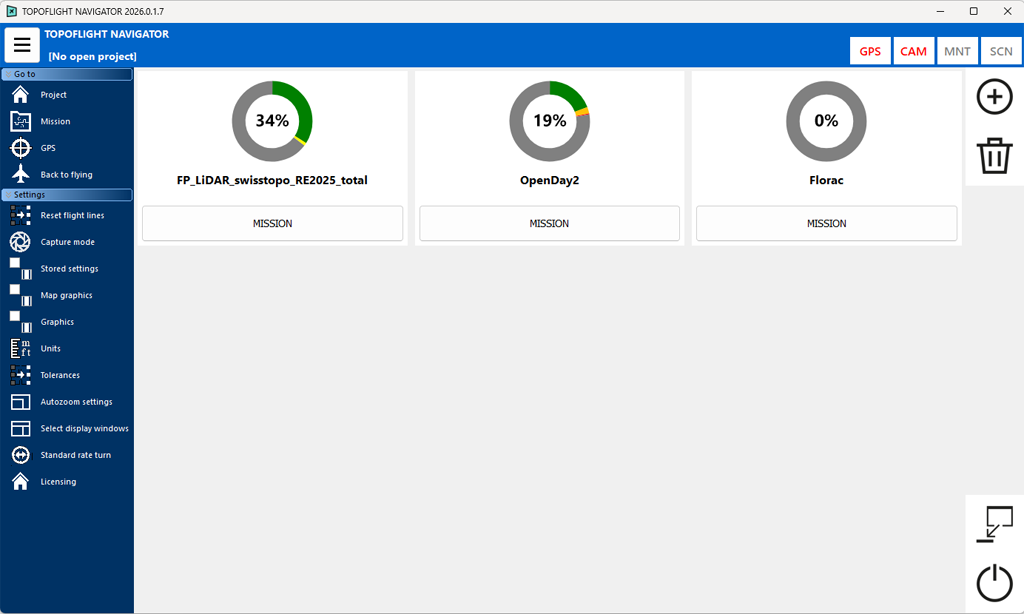
The 2026 release presents a redesigned NAVIGATOR interface with interactive sunburst diagrams providing an intuitive overview of each mission’s status within a project. Clear color coding allows users to instantly distinguish between completed, in-progress and pending flight lines.
In addition, NAVIGATOR now displays the remaining flight duration for the active mission, calculated from flight line lengths, mapping speeds and turn times.
Capture modes for efficient reflights
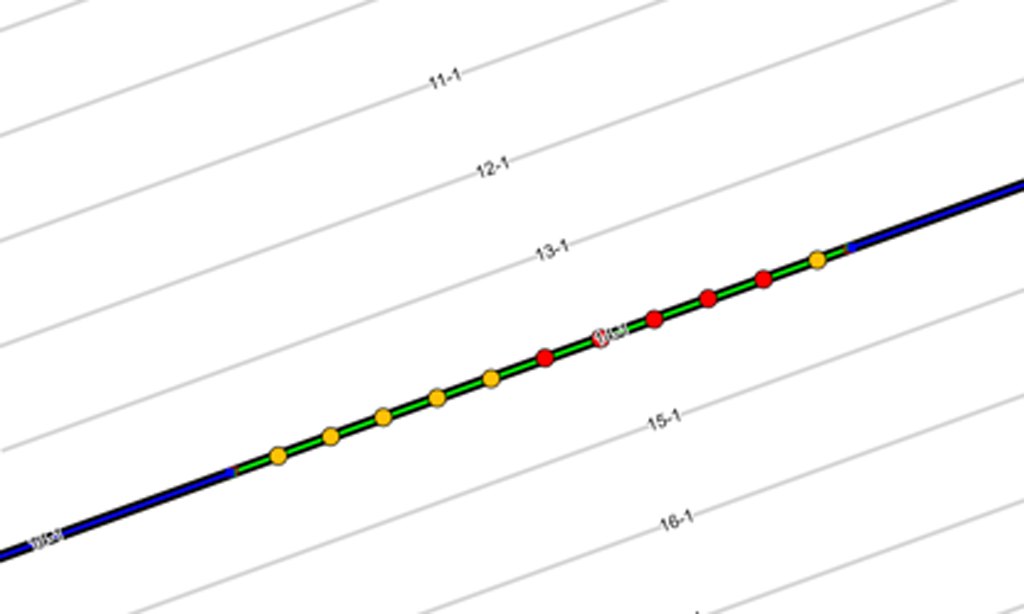
NAVIGATOR now offers three capture modes for the second iteration of a flight line:
- Trigger all images/lines
- Trigger only not-yet-triggered images/lines while keeping the full flight line
- Clip to remaining section, which crops the flight line to the exact portion that needs to be reflown
These capture modes reduce unnecessary reflight time and ensure efficient completion of remaining acquisition tasks.
Experience the MISSIONPLANNER and NAVIGATOR 2026 release
Together, the purpose-built features of our 2026 release optimize workflows, improve operational efficiency and increase mission success for surveyors, pilots and geospatial professionals.
Are you interested in a trial license or do you need a license update? Contact us today!